Full Stack
Built End to End
From first commit to live link: clean front ends, solid back ends and the deployment work in between, so the product ships and stays up.
I'm Malik Adesiyan, and I build for the web. I take an idea from a blank page to a working product: the interface, the backend, the database, and the small details that make it feel finished. I've shipped more than 15 sites and PWAs for clients in different countries, and I still like the part where something finally works.
I also build AI automation. I use n8n to connect the forms, spreadsheets, inboxes, and chat apps a business already uses, so routine work like lead capture, replies, alerts, and follow-ups happens without someone remembering to do it. I can run it with a cloud model, a local model, or no AI at all, whichever you prefer.

A selection from a larger body of work. There's more behind these.
From first commit to live link: clean front ends, solid back ends and the deployment work in between, so the product ships and stays up.
Every build ships with clear notes and a setup that is easy to maintain.
Projects and automation systems I've built, with live links and case studies.
Technologies and tools I use in building products.
Building responsive and interactive user interfaces.
 React
 Next.js
 HTML5
 CSS3
 JavaScript
 TypeScript
 Vite
 Tailwind CSS
Connecting forms, spreadsheets, messaging, and AI into workflows that run on their own.
 n8n
 Ollama Webhooks
 Docker
Building APIs and working with databases and server-side logic.
 Node.js
 Python
 FastAPI
 Supabase
Tools I use to design, build, and ship projects.
 Git
 GitHub
 Vercel
 Figma
 Canva
 VS Code
I'd rather ship something small than keep polishing something that never goes out.
An idea nobody can follow hasn't helped anyone yet.
I learn a new tool by using it, not by reading about it first.
The right fix is the one that works for the person using it, not the most impressive one.
Full stack development or AI automation. Send a short note about what you need and I'll reply.
Automations that keep running without me.
A complete support and follow-up workflow built in n8n. When a customer submits an inquiry, the system checks it, writes a short reply with a locally hosted AI model, emails it through Gmail, alerts the business on Telegram, and follows up automatically if the customer doesn't respond.

Swipe sideways to see the whole workflow.
Handling new inquiries by hand means checking forms, writing replies, telling the team, and remembering to follow up. Each step is small, but together they cost time, and leads get missed.
One workflow handles the whole path, from the form to the follow-up. n8n runs self-hosted in Docker and the AI model runs locally through Ollama, so no paid AI APIs are involved.
Google Forms, Google Sheets, Gmail, Telegram, and Ollama work together as a single process, from first inquiry to follow-up.
The reply is written by a model running locally through Ollama, with n8n self-hosted in Docker and no paid AI APIs.
The workflow checks whether the customer replied and only follows up if they haven't, then updates the lead's status.
When a property inquiry comes in, the system scores it, summarizes the buyer's notes with a locally hosted AI model, logs it to a 19-field CRM sheet, alerts the sales team on Telegram within moments, and sends the buyer a Gmail acknowledgment. Scoring and budget logic run in deterministic n8n expressions, and no customer data is sent to a third-party AI service.

Swipe sideways to see the whole workflow.
In real estate, a delayed response directly costs conversions. Manual lead logging is slow and inconsistent, and the unstructured notes buyers write are hard for sales reps to scan quickly.
Handing those notes to a cloud AI would fix the reading problem, but it would also send client names, phone numbers, and budgets to a third party and add a per-token bill.
An n8n workflow takes each inquiry from the Google Form response to a scored, logged lead, a Telegram alert, and a Gmail acknowledgment, with nobody in the loop.
Deterministic expressions decide everything numerical, and a local LLM only reads and summarizes the text. Because the model runs locally, customer data is never sent to a third-party AI service, and there are no per-token fees.
Scoring and budget logic live in deterministic n8n expressions, so the same lead always gets the same score. The LLM never touches a number.
The model runs locally, so customer details are never sent to a third-party AI vendor.
Self-hosted summarization keeps the AI bill flat as lead volume grows.
Explicit field mapping matches all 19 CRM headers, so every row lands clean.
Each field references the matching item from the scoring step, so multiple leads in one run do not get mixed up.
A one-sentence summary and a priority alert let a rep understand a lead at a glance.
A companion n8n workflow that catches failures in the Skies Realty lead pipeline and sends the details to Telegram. The alert names the workflow, the failed node when n8n reports it, the time in Lagos, and the actual error message, so a broken run does not fail silently.
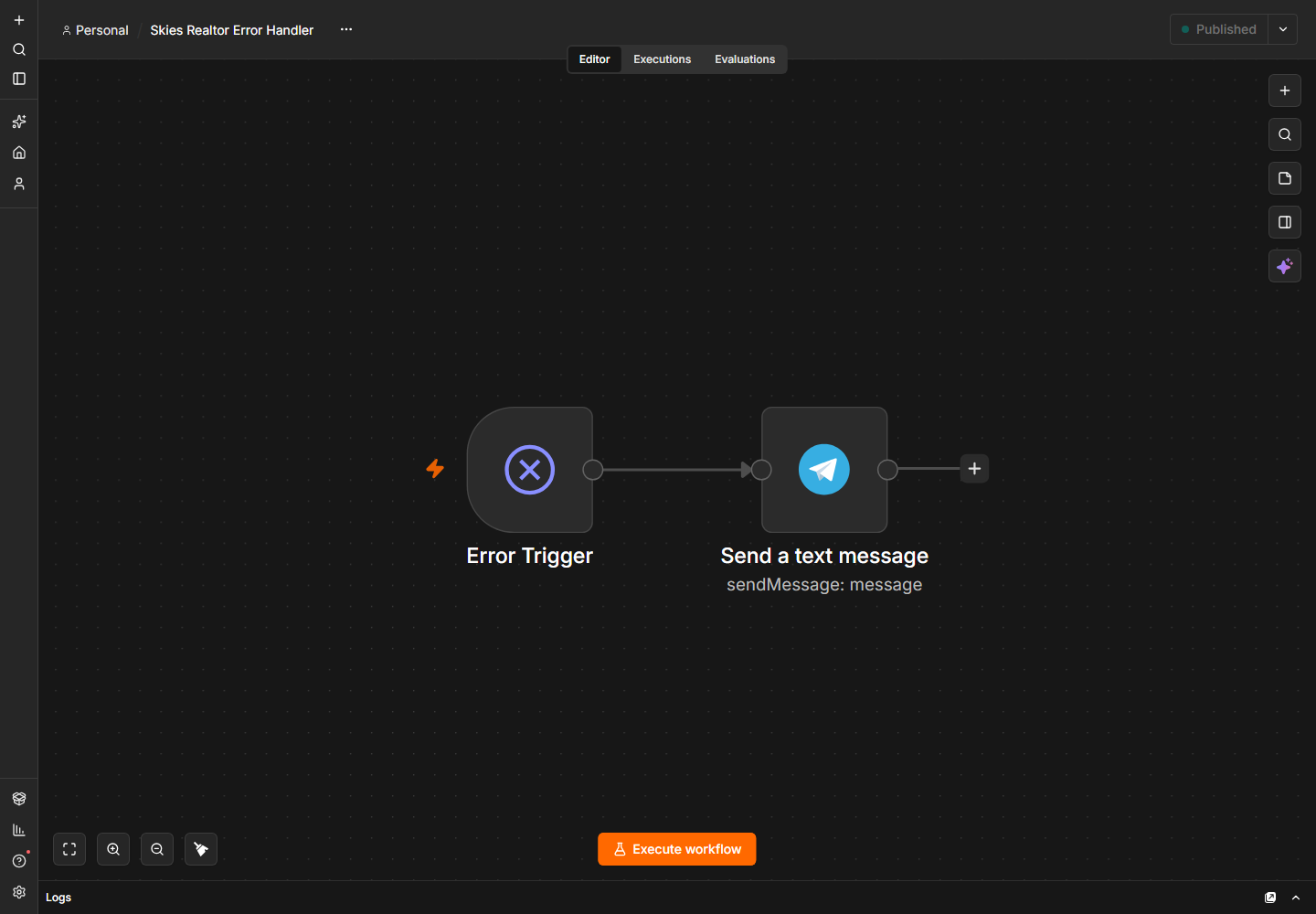
Swipe sideways to see the whole workflow.
The lead pipeline runs without anyone watching it. If a node fails, a new inquiry can sit in the sheet without a score, a CRM row, or an alert. The first sign is usually a missed lead, not an error message.
The Skies Realty workflow points to this error workflow in its settings. When a run fails, n8n passes the workflow, execution, and error data to the Error Trigger. A Telegram node formats a short alert with the workflow name, workflow ID, failed node, Lagos time, and the actual error message. Missing fields fall back to "Not reported" or "Unknown" instead of breaking the alert.
The handler stays out of the lead workflow, so successful runs do not pay for extra steps.
The alert names the workflow, node, time, and error, so the fix starts in the right place.
Missing fields become "Not reported" or "Unknown" instead of an empty message or a failed alert.
An hourly n8n workflow that searches YouTube for engineering and industrial videos, reads the comments, checks each commenter's channel, and scores the lead with Google Gemini. Leads that clear the score threshold are appended to a Google Sheets CRM with the evidence, the score, and a specific opening line.

Swipe sideways to see the whole workflow.
Engineering Sites builds websites for small engineering and industrial businesses. The people who fit are often in YouTube comments, but reading hundreds of comments to find one useful person does not scale. A keyword search alone is too blunt: it catches consumers and hobbyists along with workshop owners.
An n8n workflow rotates through 40 engineering searches, one per hour, and pulls the newest comments for each video. It checks the commenter's channel, then asks Google Gemini for a technical signal, a business signal, and the evidence behind both. Code combines those into a lead score, and only leads at 40 or higher reach the sheet.
The model scores hands-on experience and business ownership separately, so a skilled hobbyist does not outrank a workshop owner by accident.
One search per hour, rotating through 40 queries, keeps the YouTube Data API usage inside the free daily quota instead of burning it in a burst.
The normalizer indexes the comment and channel lists instead of pairing them, which prevents one comment from being attached to every row when several leads run together.
The scoring parser accepts Gemini, OpenAI-style, and plain text responses, so the AI step can change without rewriting the rest of the workflow.
The append step maps all 15 CRM columns by name. The tested run wrote a complete row with no object dumps or shifted columns.
An n8n workflow that builds and publishes a beginner chess lesson Reel every 20 hours. It picks a lesson from a shuffled deck without repeating one until the deck is empty, applies one of five visual designs, renders the board and voiceover, posts to Instagram, and sends the file to Telegram.

Swipe sideways to see the whole workflow.
A lesson series needs a new post every day. Writing the lesson, choosing a board, recording the voice, rendering the video, and publishing it is a repeatable process, but it still takes time, and the visual style can drift from post to post.
One n8n workflow runs the whole chain on a schedule. It picks the next lesson from a shuffled deck, applies that lesson's design, renders the board and voiceover, and publishes the result. The lesson list lives in the workflow, so adding a lesson is a code edit, not a new manual process.
A shuffled queue gives every lesson a turn before any lesson comes back. The last lesson is held back so two cycles do not join on the same post.
Each lesson keeps its own look, and the random deck mixes the designs across the feed instead of repeating one template.
The first board stays arrow-free so the learner can find the move. The after board shows the direction, except for the pin lesson.
Node TTS, FFmpeg, and ASS subtitles run on the host. There is no paid video API in the render path.
The same run publishes the Reel to Instagram and sends a copy to Telegram for a quick review.
A workflow built for a business that sells to local companies. It runs three times a day, pulls matching businesses from OpenStreetMap, skips anyone it has already seen, finds contact emails on their websites, scores the fit with Groq, and leaves a Gmail draft ready for review. Nothing sends without a person.

Swipe sideways to see the whole workflow.
The client sells a service to local businesses: law firms, clinics, contractors, travel agencies, auto repair shops. Finding those customers is manual work. Someone searches a map for matching businesses, opens each website for a contact email, writes down who was reached, and decides by eye who is worth an email. That is a few leads a day, the same business gets pitched twice, and good targets fall through the cracks.
The workflow takes that search off their hands. It pulls named businesses from OpenStreetMap in two areas, checks every candidate against a Postgres history so nothing repeats, reads each website for contact emails, and has Groq score the fit and write a one sentence opening. What reaches the client each day is a Telegram alert and a Gmail draft to approve. Nothing sends by itself, and the whole pipeline runs on free services.
Dedupe, caps, and the score gate run in code and SQL. The model only judges fit and writes one line.
OpenStreetMap and the Groq free tier. There is no paid API in the path.
The output is a Gmail draft. Nothing sends by itself.
Draft failures are marked in Postgres and alerted on Telegram instead of disappearing.
One flag turns live writes into dry run records, so the whole pipeline can be tested safely.
Every 30 minutes, an n8n workflow reads the unread mail in two Gmail accounts, tags each message with its account, and sends the batch to Google Gemini with a classification and reply drafting task. Important mail triggers a WhatsApp and a Telegram alert with a ready to send suggested reply. Newsletters, promotions, receipts, and automated reports stay silent.
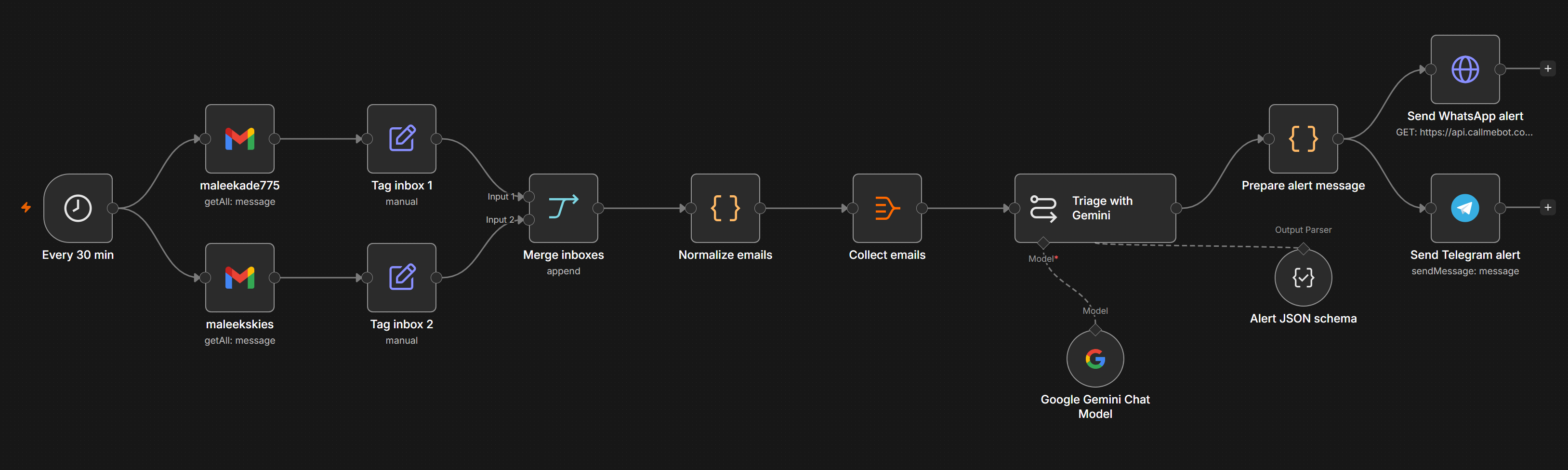
Swipe sideways to see the whole workflow.
Two inboxes fill with newsletters, receipts, and notifications. Real messages that need an answer, like security alerts, billing problems, direct questions, or meeting requests, sit between them, and by the time one is noticed it has been waiting for hours.
A schedule trigger runs every 30 minutes and pulls unread mail from both accounts through the Gmail node. A Set node tags each message with its account so the alert says which inbox it came from. The messages merge into one JSON batch and go to Gemini, which classifies each one and drafts a reply for the important mail.
A structured output parser keeps the model's JSON in order: one entry per email, same order as the input.
Account tags survive the merge, so the alert names the right inbox.
Drafts never send. The person decides what goes out.
WhatsApp goes through CallMeBot's free API and Telegram through the Bot API.
A daily n8n workflow that scans the sent mail of a Gmail account for job applications from the last 90 days, upserts each one into a Postgres tracker, watches the threads for replies, and drafts a polite follow-up for any application that has sat unanswered for 5 days. Drafts wait in Gmail, nothing sends automatically.

Swipe sideways to see the whole workflow.
Applications go out and then the follow-up depends on memory. Some get a second email too early, some never get one, and there is no single place that says which applications were sent, when, and whether anyone replied.
One scheduled workflow. It searches sent mail with a Gmail query that matches application subjects, careers addresses, and CV attachments, normalizes each message into a role, company, and sent date, and upserts it into a job applications table. Thread fetches detect replies, and applications past the follow-up window get a draft.
Upserts on message ID and a due filter that checks draft status keep re-runs harmless.
The workflow reads the actual thread, it does not guess from the subject line.
The Gmail node creates drafts. The send stays with the person.
Lookback, gap, cap, and query live in one code node.
A job search workspace that finds roles, scores them against your CV, and builds the application kit.
RoleSearchHQ scans multiple job boards, scores each role against a user's CV with a hybrid keyword and LLM engine, and turns the roles worth pursuing into tailored kits. Each kit can include a CV, cover letter, form packet, talking points, and notes on the gaps to address.
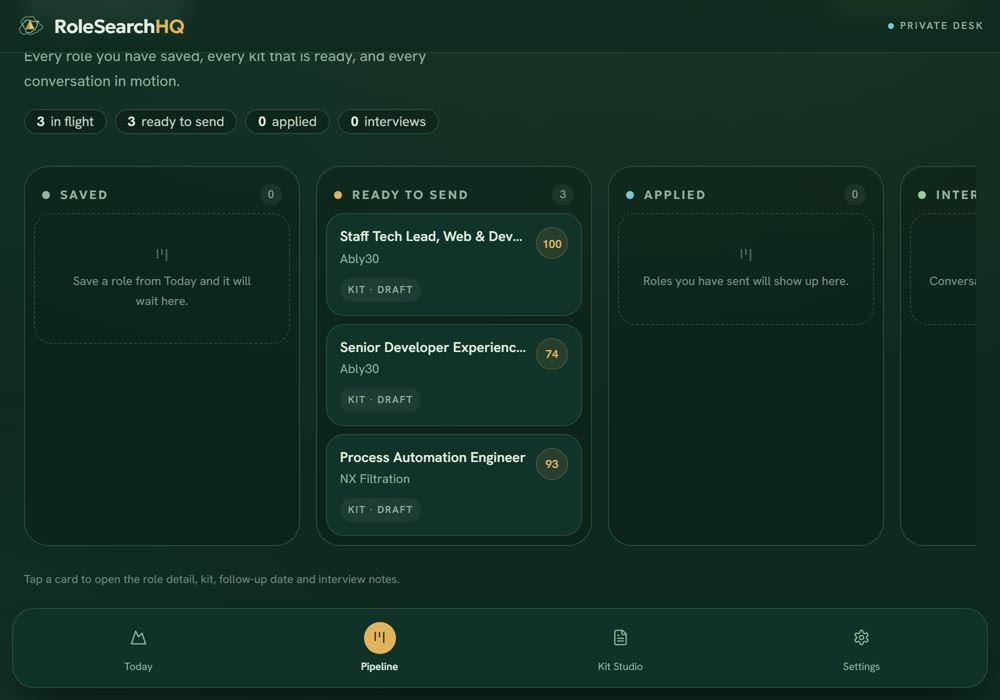
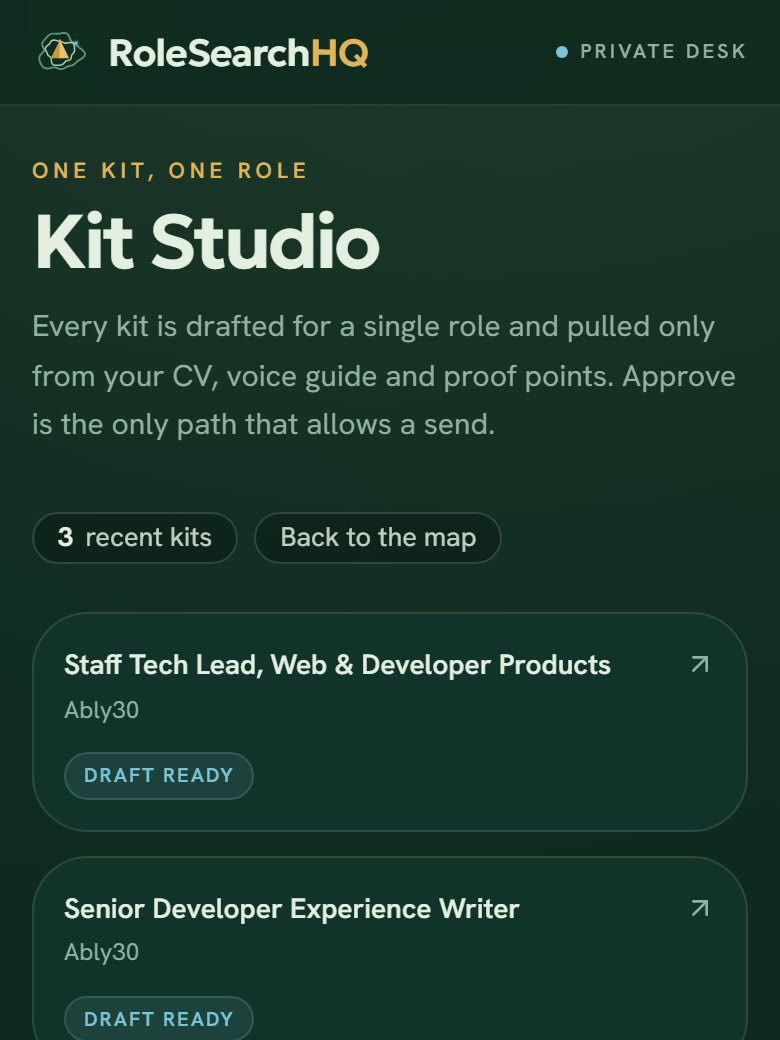
Job hunting means checking several boards, reading long descriptions, and guessing which roles actually fit. Then each application needs its own CV, cover letter, and answers, which is a second job on its own.
One workspace gathers roles, ranks them against the user's CV and preferences, and explains each match. The roles that clear the bar move into a pipeline, and Kit Studio drafts the application material from the user's own CV, voice guide, and proof points.
Keywords give a fast first pass and the LLM adds judgement, so results are not just word counts.
Each score comes with a breakdown and a list of gaps, so the user knows what to fix.
Every application gets its own CV and cover letter instead of one generic copy.
Kits are pulled from the saved CV, voice guide, and proof points, not rebuilt from scratch each time.
Drafts stay in the workspace until the user approves them. The app does not send applications on its own.
Every saved role keeps its stage, kit status, follow-up date, and interview notes in one place.
A chess platform that teaches from the first move and grows with the player.
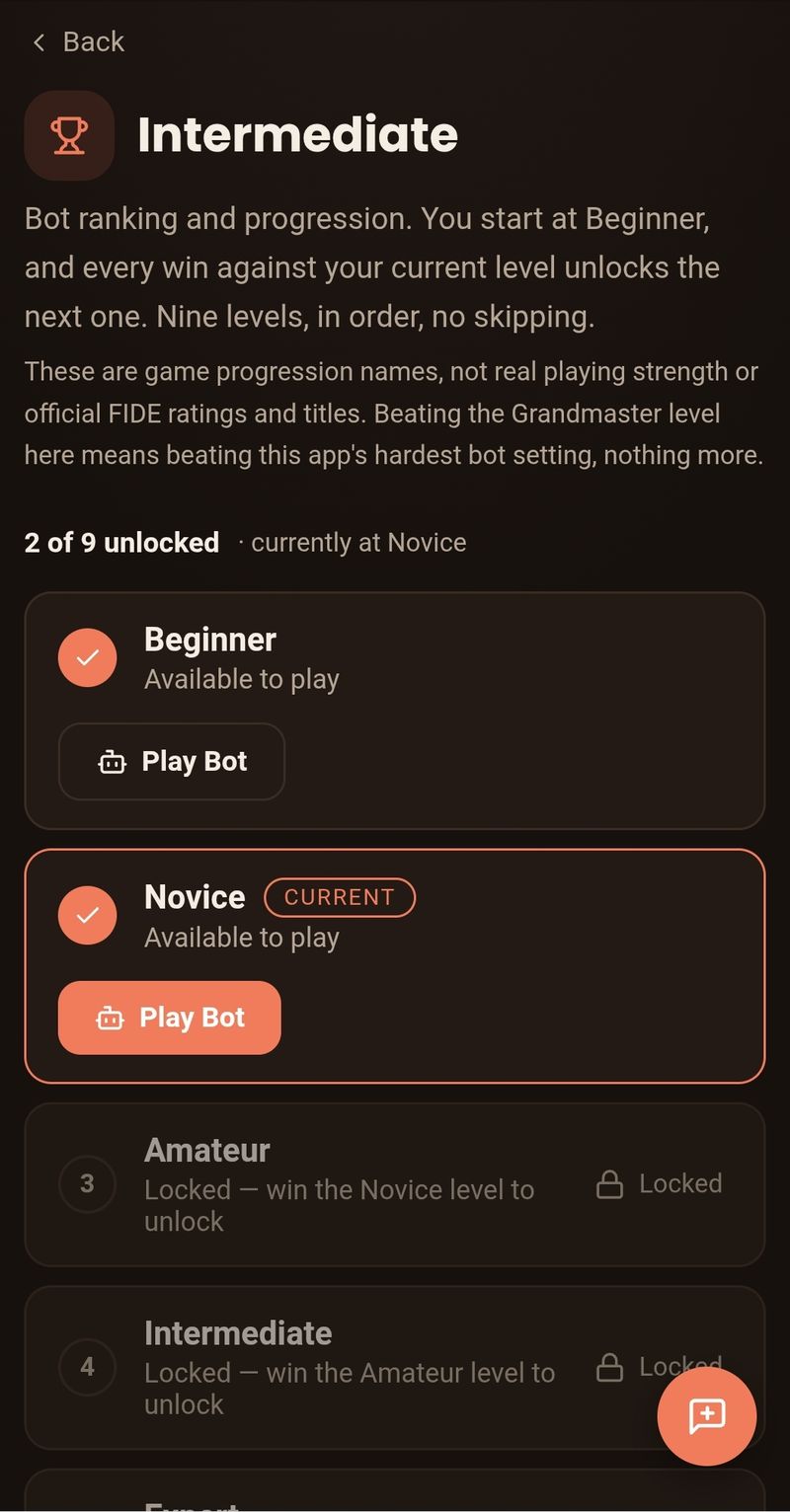
ChessHatch is a learning-first chess platform. Lessons start from zero and build to 50 tactics lessons, a rule-based live coach explains moves, multiplayer is real time with Glicko-2 ratings, and Stockfish runs offline with nine bot levels that unlock as you win.
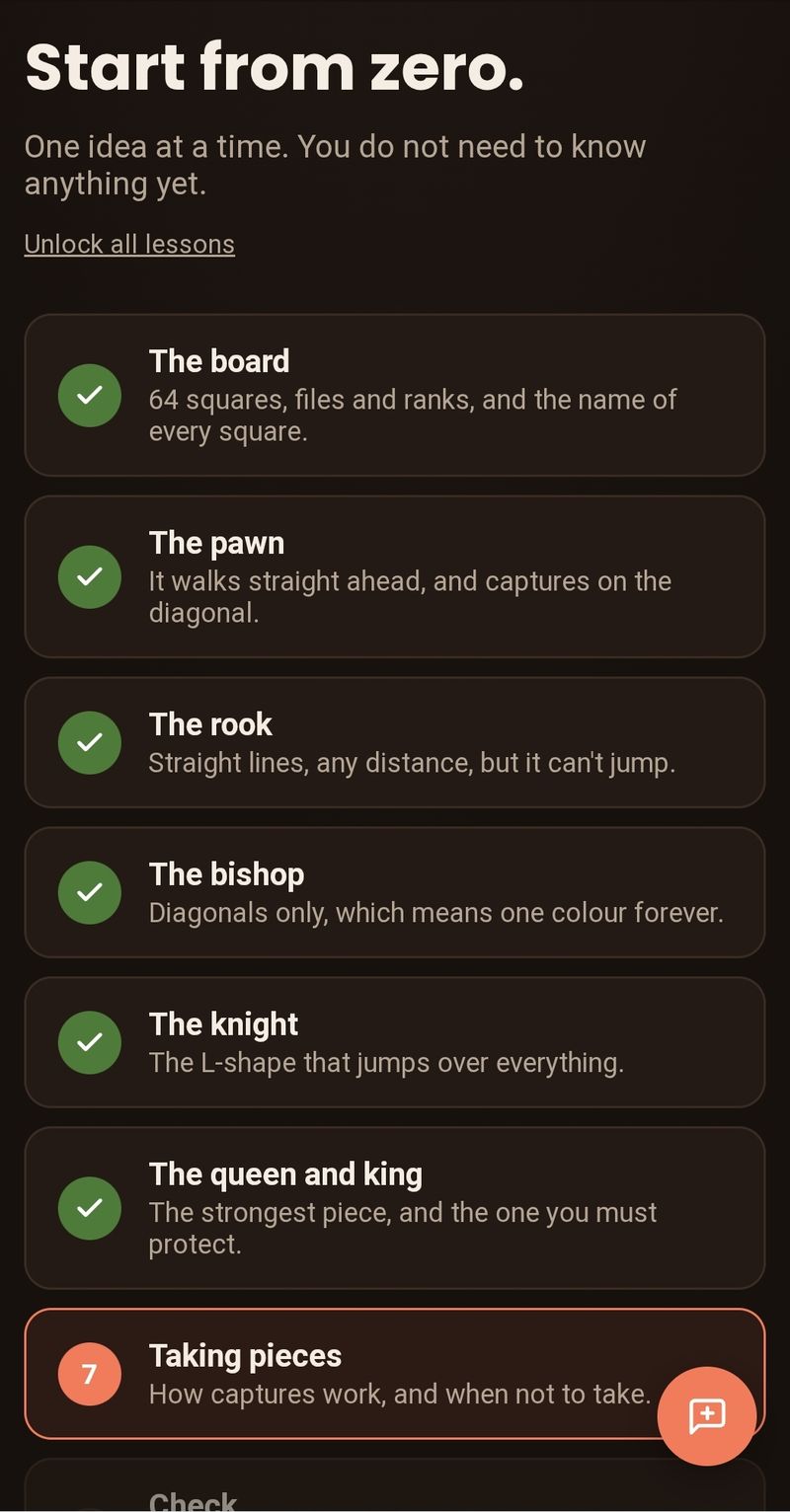
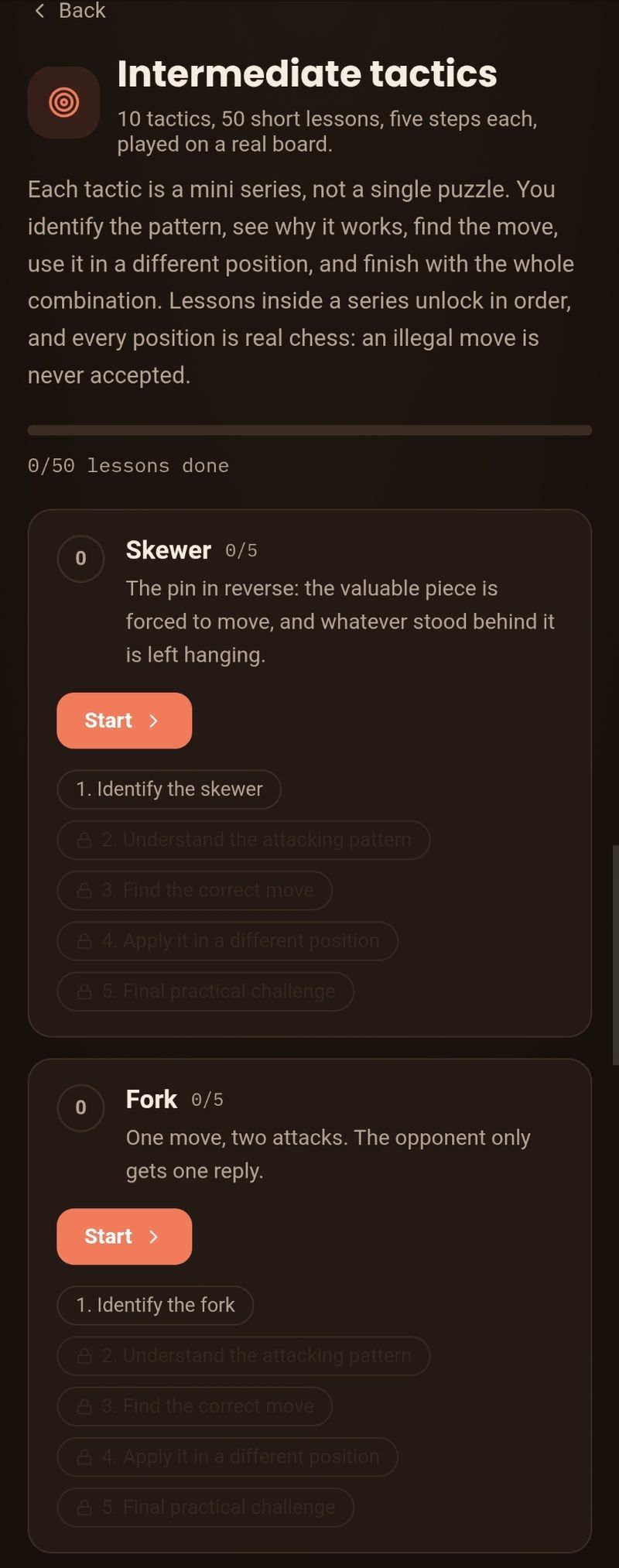
Many chess sites assume you already know the game. Beginners are dropped into matches or a wall of puzzles with no clear path from the basics to real tactics.
A structured path: beginner lessons, then tactics in ten series, then bots and live opponents. The coach explains what is happening on the board, so practice teaches something.
Stockfish.js runs in the browser, so bot games work without a connection.
Live games with Glicko-2 ratings, which handle new and returning players more fairly than simple Elo.
Bot levels open as you win, which gives players a reason to keep going.
A Genesis Collection mint where the identity rule lives in the contract.
VAULT 01 is the mint site for the Genesis Collection on Redbelly Network Mainnet. The contract enforces wallet identity verification, and 50 of the 500 tokens are tied to limited-edition mechanical watches that the holder can claim on-chain.

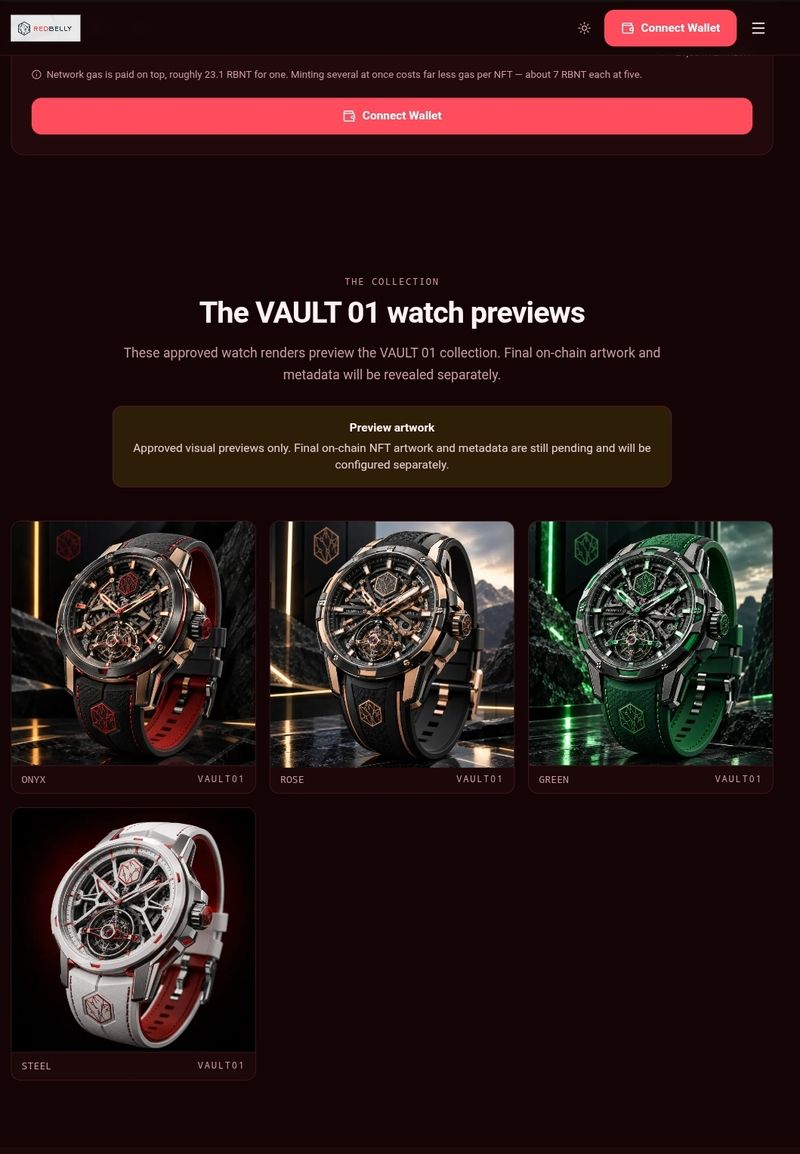
A mint page can hide the button when a wallet does not qualify, but that does not stop someone from calling the contract directly. VAULT 01 needed the identity rule to live in the contract, not only in the interface.
The contract checks wallet identity before it allows a mint. The collection is capped at 500 tokens, and 50 of them are bound to physical watches that the holder claims on-chain. The site handles the wallet connection and shows the collection.
The identity check runs in Solidity, so the browser is not the only thing standing between a wallet and the mint.
The Genesis Collection is capped at 500 tokens.
Fifty tokens carry a watch claim that is settled on-chain.
Next.js and TypeScript handle the page, with wagmi for wallet state.
The Solidity contracts are built with Foundry.
A storefront for a handmade footwear label, with WhatsApp as the checkout.
OZ Handcrafted Footwear is a brand storefront for a handmade footwear business. It has a product catalogue, photo galleries, search and filters, a cart, and a wishlist. Checkout hands the shopper to WhatsApp, so the site needs no backend, payment integration, or customer accounts.
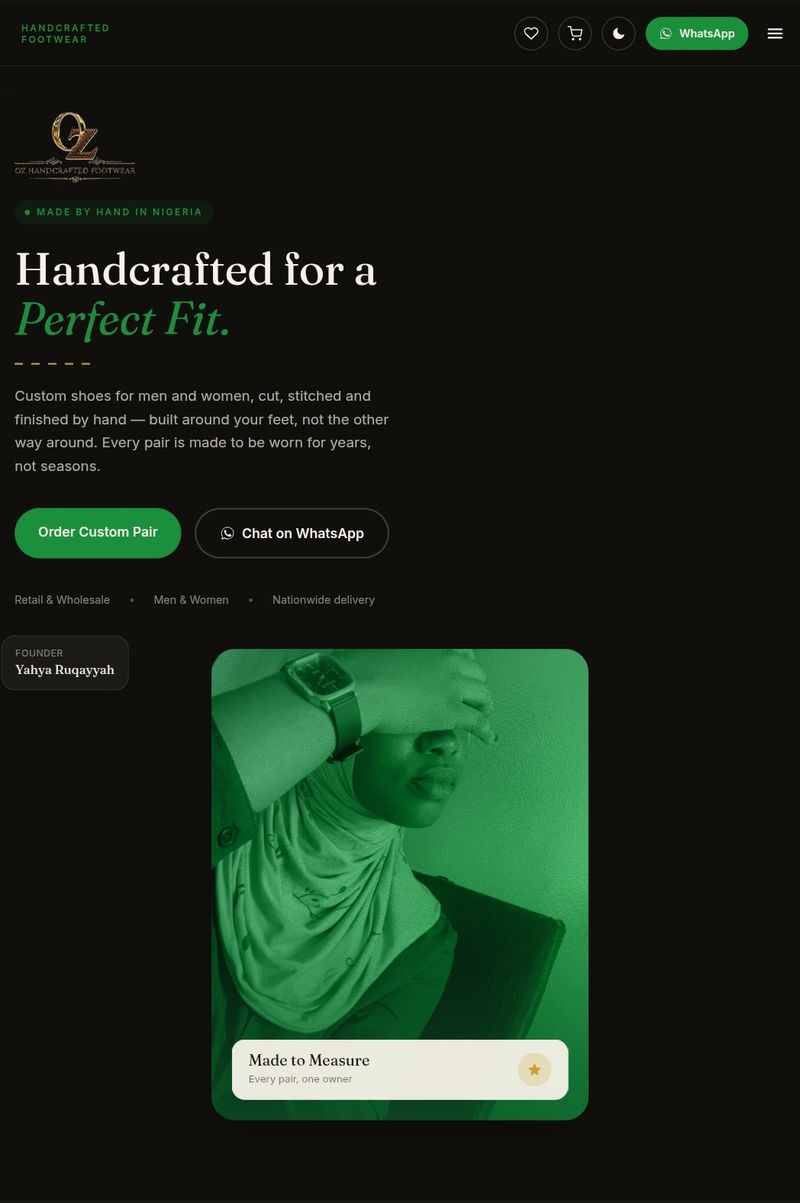
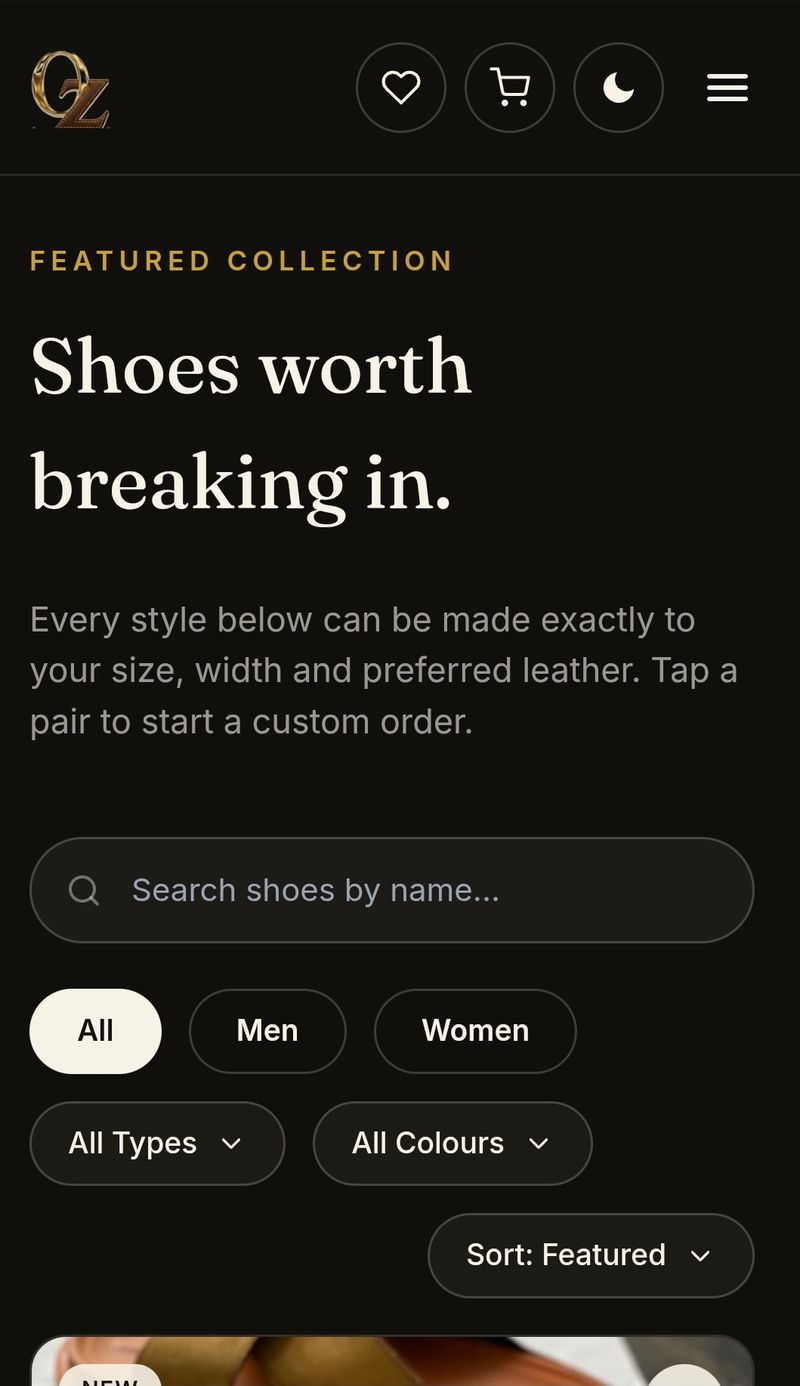
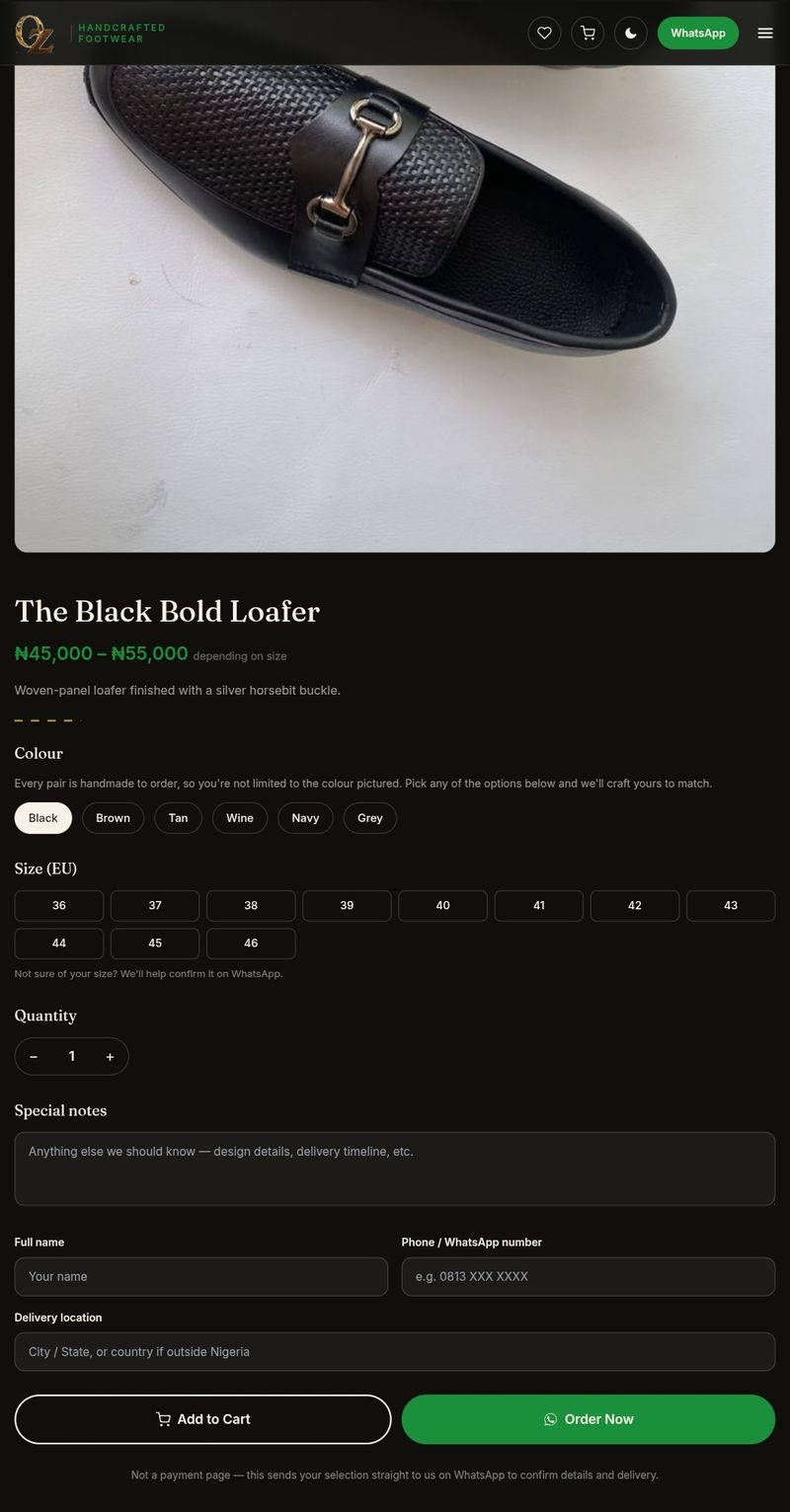
A small handmade brand needs a product catalogue that looks good on a phone, but a full ecommerce backend adds hosting, payments, and maintenance. The owner already takes orders in WhatsApp conversations.
A static storefront that shows the collection and product details, lets shoppers save pairs, and then hands the order to WhatsApp. There is no database, no payment form, and no account to create.
The catalogue, cart, and wishlist run in the browser, so there is no server or database to maintain.
Photo galleries and colour and size details sit above the order handoff.
Shoppers can build a cart for a planned order or keep a wishlist for later.
The order leaves the site as a WhatsApp conversation, which is where the owner already works.
One page for the questions every new Redbelly Discord member asks.
A static reference page for new Redbelly Discord members. It answers the common questions about KYC, network setup, the "$0 balance" confusion, where to trade, staking, and the testnet faucet. A scam warning sits at the top.
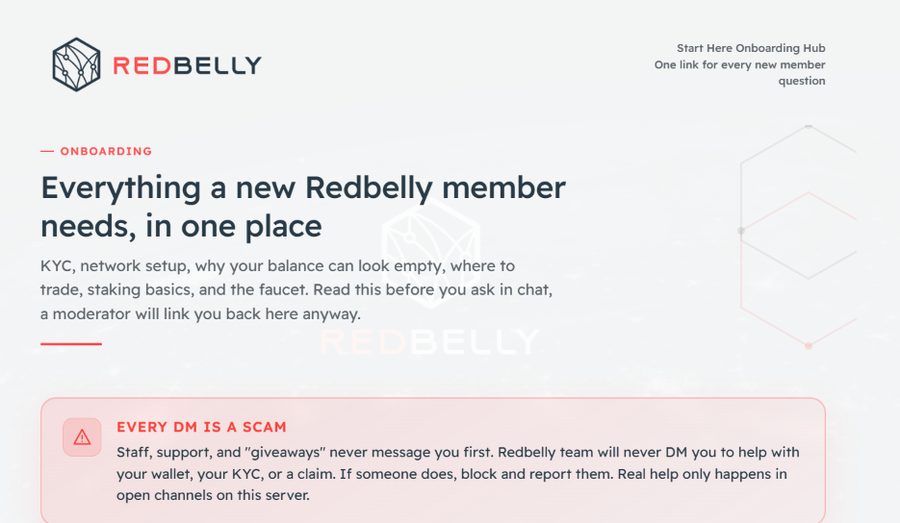
New members arrive in Discord with the same questions: what KYC is, how to set up the network, why the balance looks empty, where to trade, how staking works, and where the testnet faucet is. Repeating those answers in chat takes moderator time, and the answers get lost in the scroll.
One static page with a section for each question and a scam warning at the top. Moderators can send the same link instead of retyping the answers, and new members can read at their own pace.
A single page covers the questions new members ask most.
The page tells members that staff, support, and giveaways never DM first.
Static HTML and CSS, so the page loads fast and needs no database.
Content changes are text edits in the page.
A rebuild of the onboarding hub, with quick links to the answers people need.
A rebuild of the Redbelly onboarding hub with quick links under the scam warning. A new member can jump straight to KYC, network setup, zero balance, buy and trade, staking, or the testnet faucet.
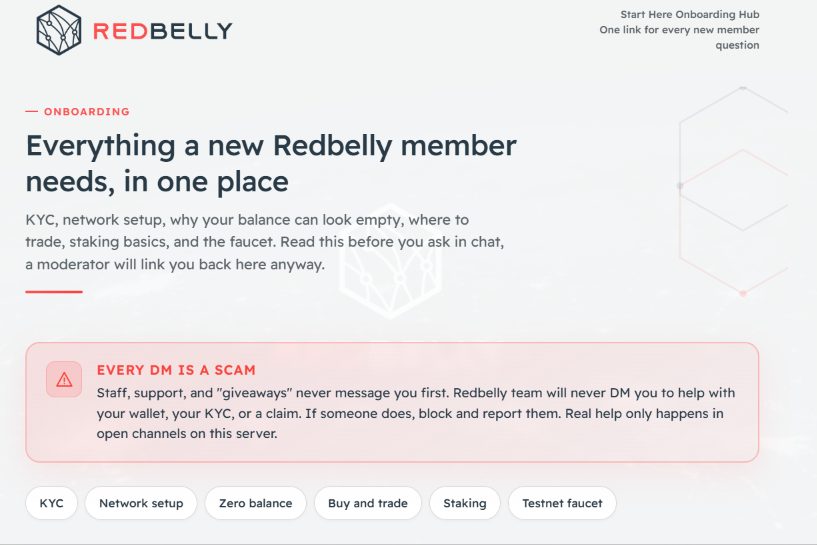
The first hub answered the questions, but a new member still had to scroll through the page to find the one they needed. The answers were there, but there was no shortcut to each section.
A rebuild with a row of quick links under the scam warning. KYC, network setup, zero balance, buy and trade, staking, and the testnet faucet each jump to their section, while the warning stays at the top.
One tap moves a new member from the top of the page to the section they need.
The rebuild keeps the KYC, network, balance, trading, staking, and faucet content from the first hub.
The warning sits above the quick links, so the safety message is not hidden behind a shortcut.
No backend or database, so the page stays fast and cheap to host.
A defensive security dashboard with five checks for a fast first pass.
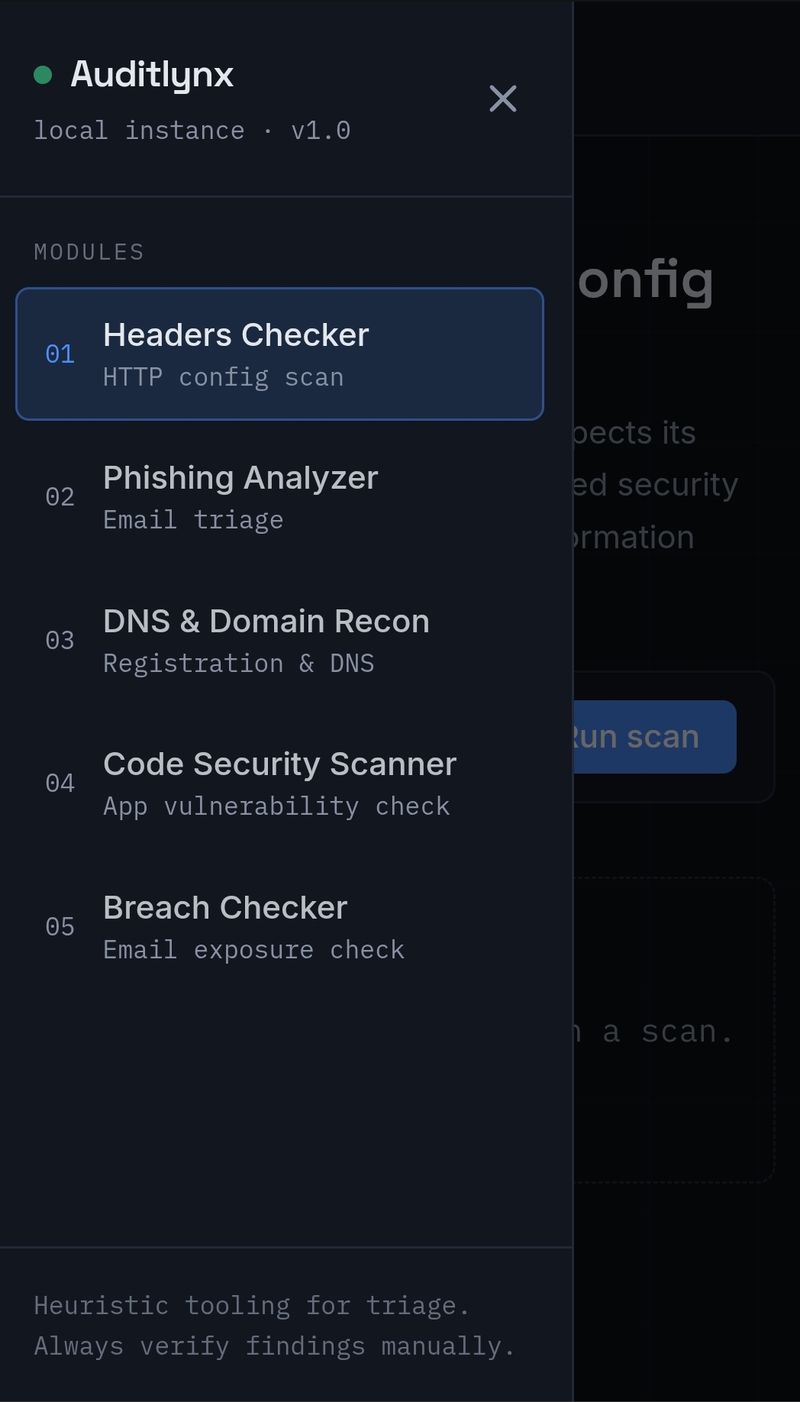
Auditlynx is a defensive security toolkit with five modules: security header grading, a phishing analyzer, DNS and domain recon, a code security scanner, and a breach checker. It is built for heuristic triage, so a human analyst can decide what needs a closer look.
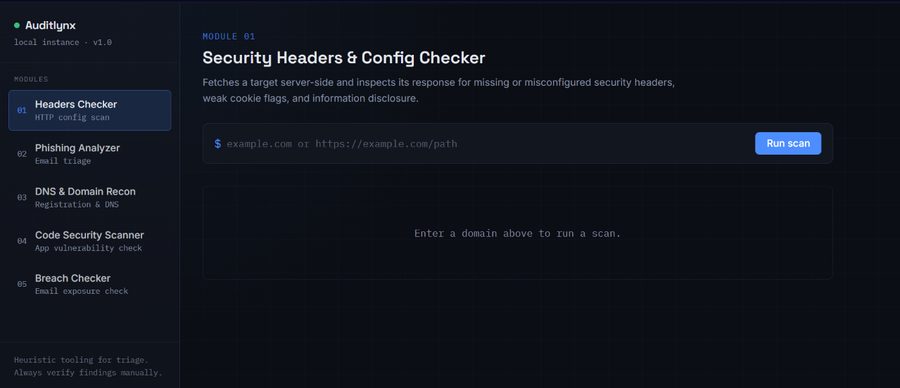
A first security pass is spread across browser tools, DNS lookups, code scanners, and breach checks. An analyst needs a quick read on several signals without opening five different tools or writing the same notes twice.
A dashboard with five modules in one place. Each module runs a focused check and returns a grade or a list of findings. The tool is for triage, not a replacement for a full audit, so the results point to what a human should verify.
Headers, phishing, DNS and domain recon, code security, and breaches each have their own screen.
The tool runs a check and returns a result. There is no account or scan history to manage.
The results are heuristic. The interface says to verify findings manually, so the tool does not pretend to replace a full audit.
Each module asks for the target it can actually use, so the user does not have to guess.
React and Vite keep the module switching and results light.
A travel dashboard for Nigerians, from passport application to boarding gate.
UrPassport NG is a full-stack dashboard for Nigerians planning a trip. It brings passport application tracking, visa document checklists for the UK, US, Canada, and UAE, an AI trip planner, Naira flight search, and encrypted document storage into one account.

A Nigerian traveler juggles a passport application, visa checklists for different countries, flight prices in another currency, and a folder of documents. The information is spread across government portals, tabs, and paper, so it is hard to see what is done and what is next.
One dashboard that groups the trip: passport tracking, country-specific visa checklists, an AI trip planner, Naira flight search, and encrypted document storage behind real authentication. The build is in progress, with the core flow in place.
Passport, visa, flights, and documents sit behind one login.
The UK, US, Canada, and UAE each have their own visa document list.
Flight prices are shown in Naira, not converted at the last step.
Travel documents are encrypted and kept behind authentication.
The planner builds an itinerary from the trip details instead of starting from a blank page.
A scholarship and work visa tracker that reads the deadline for you.
TravelSleek is a scholarship and work visa tracker. It pulls listings from GOV.UK and IRCC Open Data, parses PDFs, and adds curated programs like DAAD, Chevening, Fulbright, Erasmus Mundus, Commonwealth, and Gates Cambridge. Each listing gets a score, tags, and a countdown to its deadline.
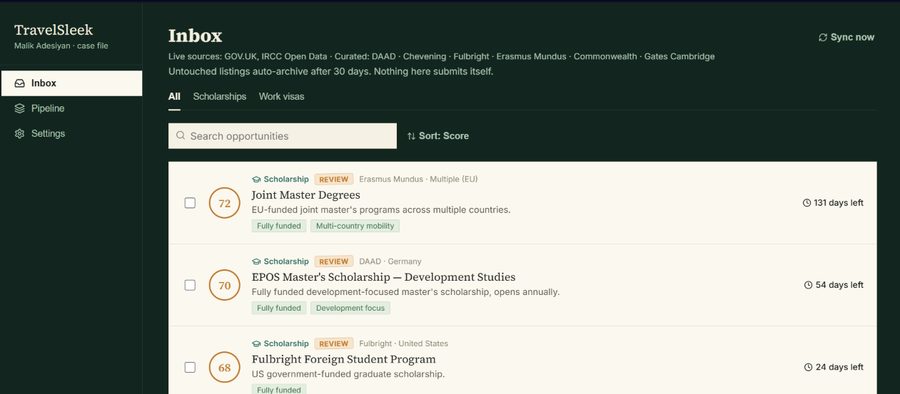
Scholarship and visa deadlines are spread across government pages, university PDFs, and program sites. A list that is not updated is worse than no list, because it hides expired opportunities and buries the ones that are still open.
The app pulls live sources, parses PDFs, and adds curated programs. It scores and tags each listing, shows the days left, and archives listings that have not been touched in 30 days. Nothing is submitted automatically; the app tracks, and the user applies.
Government sources and a hand-picked program list meet in one feed.
The days-left label makes urgency visible before the user opens a listing.
A score and tags give the list an order, and the Inbox can sort by score.
The app tracks opportunities. It does not submit applications on the user's behalf.
Listings untouched for 30 days archive themselves, so the Inbox does not fill with dead links.
Products and client sites, from first commit to live link.
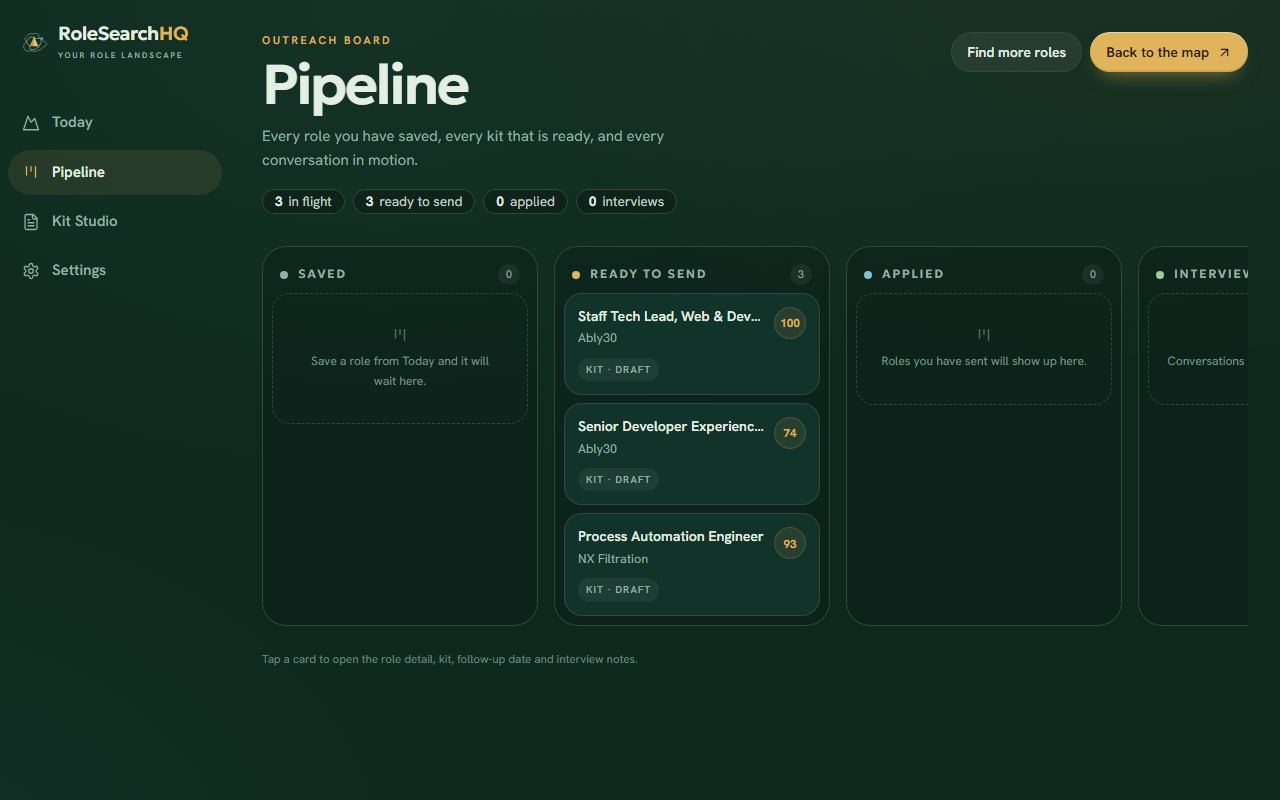
A full-stack job search platform that scans multiple job boards and scores roles against a user's CV using a hybrid keyword-and-LLM engine, with an AI-generated kit system producing tailored CVs and cover letters per role.

A single-collection NFT mint site for the Genesis Collection on Redbelly Network Mainnet. Wallet identity verification is enforced directly in the smart contract, not just checked in the interface, and 50 of the 500 tokens are bound to limited-edition physical mechanical watches, claimable on-chain by the holder.

A full brand storefront for a handmade footwear business, built to sell craftsmanship, not just shoes: product catalogue, photo galleries, cart, wishlist, and a WhatsApp-based checkout flow, with no backend required.

A one-stop reference page answering new Discord members' most common questions: KYC, mainnet/testnet setup, the "$0 balance" confusion, where to trade, staking, and the testnet faucet, plus a scam warning.

Same purpose as v1, a rebuild covering the same ground: scam warnings, KYC, network setup, balance confusion, trading, staking, and the faucet, with quick-nav shortcuts added for faster lookup.

A defensive security toolkit with five modules: security header grading, a phishing analyzer, DNS and domain recon, a code security scanner, and a breach checker. Built as stateless heuristic triage for human analysts.

A learning-first chess platform for beginners through advanced players: lessons that start from zero and build to 50 tactics lessons, a rule-based live coach, real-time multiplayer with Glicko-2 ratings, and offline computer play via Stockfish with nine bot levels that unlock as you win.

A full-stack dashboard for how Nigerians actually travel: passport application tracking, visa document checklists for the UK, US, Canada and UAE, an AI trip planner, flight search priced in Naira, and encrypted document storage, all behind real authentication.

A scholarship and work visa opportunity tracker that pulls from live sources (GOV.UK, IRCC Open Data) and curated programs (DAAD, Chevening, Fulbright, Erasmus Mundus, Commonwealth, Gates Cambridge), scoring and tagging each listing with a countdown before it closes.
An hourly n8n workflow that searches YouTube for engineering and industrial videos, screens the comments, checks each commenter's channel, and scores the lead with Google Gemini. Qualified leads go into a 15-field Google Sheets CRM with the evidence and a specific opening line.
An n8n workflow that publishes a beginner chess lesson Reel every 20 hours. It picks from a shuffled no-repeat deck, applies one of five designs, renders the board and voiceover, posts to Instagram, and sends a copy to Telegram.